
Patient Intake Forms That Save Your Front Desk Hours (Singapore Clinics)
How Singapore clinics and TCM centres can move patient intake online at booking — cutting front-desk workload, queues, and transcription errors, the PDPA-aligned way.
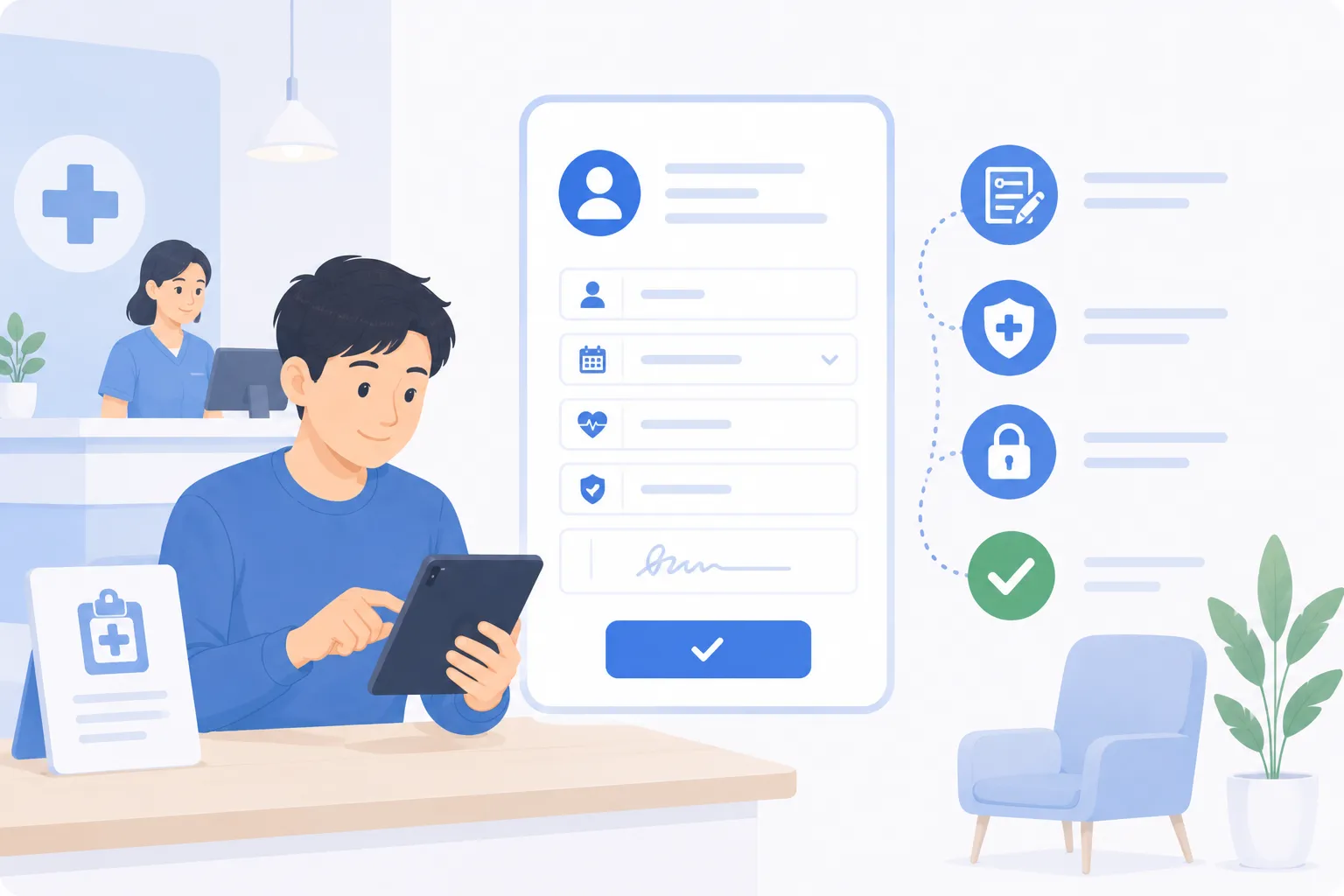
A practical guide for GP clinics, TCM centres, dental, physiotherapy, and allied health practices (2026).
TL;DR
Most of the time your front desk spends on intake is avoidable. Handing out clipboards, chasing half-finished forms, and re-typing handwriting into the system is slow, error-prone, and it builds the queue you see every morning. Moving intake online — captured at the point of booking, before the patient arrives — turns that work into something the patient does once, on their own phone, in their own time. Returning patients pre-fill from their record and only confirm what changed. Done with clear PDPA-aligned consent and role-based access, digital intake is both faster and tidier than paper. This guide covers what to collect, the digital-versus-paper trade-offs, how to capture intake at booking, and who on the team should see what.
The real cost of a paper intake form
A paper intake form looks cheap. It is a clipboard and a printout. But the cost is not the paper — it is everything that happens around it.
A patient arrives, signs in, and is handed a form to complete in the waiting room. They fill in maybe two-thirds of it before their name is called, or they leave a field blank because they cannot remember a medication name. Reception then reads the handwriting and re-types it into the clinic system — at the busiest moment of the day, with three other people waiting at the counter. A digit gets transposed. An allergy is missed because it was written in the margin. The queue grows because every new arrival needs the same five minutes of attention.
This is the quiet tax that paper intake puts on a clinic. It is not dramatic, but it repeats with every single patient, every session, every day.
A typical clinic running paper intake might lose the first twenty minutes of each session to a counter backlog, and a meaningful slice of reception’s day to transcription. None of that work touches patient care. It is pure friction — and it is the kind of friction that moving intake online removes almost entirely.
What to collect (and what to leave out)
The instinct with intake forms is to ask for everything “just in case”. Resist it. Under the PDPA — Singapore’s Personal Data Protection Act, overseen by the PDPC — you are expected to collect only the personal data you reasonably need for a stated purpose. A shorter, sharper form is both more compliant and more likely to be completed.
Here is a practical view of intake fields grouped by why you are asking for them:
| Field | Purpose | Who needs it | Notes |
|---|---|---|---|
| Full name, date of birth | Identify and match the record | Reception, practitioner | The minimum to avoid mixing up patients |
| Mobile number, email | Reminders, confirmations, follow-up | Reception | Drives WhatsApp/SMS reminders |
| Presenting symptoms / reason for visit | Prepare the consultation | Practitioner | Lets the practitioner plan before the patient sits down |
| Relevant medical history | Safe assessment | Practitioner | Keep it relevant to the service, not a life history |
| Current medications | Avoid interactions | Practitioner | Critical for TCM, dental, and prescribing |
| Allergies | Patient safety | Practitioner | Flag prominently in the record |
| Emergency contact | Safety net | Practitioner, admin | Only for clinical settings that need it |
| PDPA consent statement | Lawful basis to use the data | Captured at submission | Plain-language purpose, timestamped |
Notice what is not on the list. You do not need an NRIC number unless you have a specific, lawful reason that you can state — and for most consultations, you do not. You do not need a full address if you never post anything. Every field you remove is one less thing to secure, one less thing to keep up to date, and one less thing a patient stalls on. Purpose limitation is not just a compliance box; it makes the form faster to fill.
For TCM centres and allied health practices, the clinical fields will differ — a TCM practitioner may ask about sleep, digestion, and constitution; a physiotherapist about injury history and pain mapping. The principle holds: collect what the practitioner will actually use, label why you are asking, and stop there.
Capturing intake at the point of booking
The single biggest change is when you collect the form. Most clinics collect intake on arrival, in the waiting room. The better moment is at booking — days before the visit, when the patient is sitting calmly with their phone rather than waiting for their name to be called.
When intake is part of the online booking flow, the patient picks their slot and completes the form in the same sitting. By the time they walk in, the practitioner already has the symptoms, history, and medications in front of them. The consultation starts on time and starts informed. Reception’s job at the counter shrinks to a friendly check-in rather than a data-entry scramble.
If a patient books and skips the form, a gentle nudge closes the gap. The same channel you use for automated reminders — a WhatsApp or SMS message before the visit — can carry the intake link. This matters in Singapore specifically: WhatsApp open rates in Singapore exceed 90%, so an intake link sent over WhatsApp is far more likely to be seen and acted on than one buried in an email. A short message a day before the appointment, with a tap-through to a pre-filled form, gets most patients to complete intake before they arrive.
The result is a waiting room that is genuinely a waiting room, not an admin overflow area.
Pre-filling returning patients
The most common patient complaint about intake forms is being asked the same questions on every single visit. It is tedious, and it makes a clinic feel disorganised — “don’t you already have this?”
For a returning patient, you do. Their record already holds their name, contact details, history, and medications. So the form they see on a follow-up booking should be pre-filled, asking them only to confirm what is still accurate and update what has changed: a new medication, a newly discovered allergy, a different phone number. A thirty-second confirmation replaces a five-minute re-entry.
This does two things at once. It removes friction for the patient, who feels recognised rather than processed. And it keeps the record current — because the patient is reviewing their own details at a moment when they are paying attention, rather than reception guessing whether anything changed. A record that is gently re-confirmed at each visit stays far more accurate than one captured once and never revisited.
Reducing transcription errors
Transcription error is a paper-specific problem, and it is worth naming plainly because it is a patient-safety issue, not just an efficiency one.
When a staff member reads a handwritten form and types it into the system, every character is a chance to introduce a mistake. A misread “5” becomes a “6”. An allergy written sideways in a cramped box gets skipped. A medication name the patient spelled phonetically gets entered wrong. None of these are anyone’s fault — they are the inevitable cost of having a human re-key another human’s handwriting at speed.
A digital form removes the re-keying entirely. What the patient types is the record. There is no second pair of hands, no second reading, no transposition. Required fields stop a form being submitted with a blank where the allergy should be, and simple validation catches an obviously malformed phone number before it is saved. The form is not just faster — it is more trustworthy, because the data took a shorter path from the patient’s head to the practitioner’s screen.
For TCM, dental, and any practice where medication and allergy information drives clinical decisions, that shorter path is not a nicety. It is the difference between a record you can rely on and one you have to double-check.
Who should see what: role-based access
Collecting patient data online raises a fair question: now that it is all in one system, who can see it? The answer should not be “everyone”. PDPA expects reasonable security, and a sensible reading of that is that staff see only the data their role requires.
In practice, that means:
- Reception sees contact details, appointment times, and check-in status — what they need to run the front desk and answer the phone. They do not need to read clinical notes.
- Practitioners see the full clinical picture for their own patients: symptoms, history, medications, allergies.
- Administrators manage the schedule, capacity, and reporting without opening clinical records unless they are specifically authorised to.
Role-based access is good privacy practice and it is good operational hygiene. It narrows the number of people who could accidentally expose or mis-handle sensitive data, and it gives you a clearer answer if a patient exercises their PDPA right to ask how their data is handled. A booking platform that enforces these roles by default — rather than leaving every field open to every login — does a lot of compliance work for you quietly in the background.
Digital versus paper: an honest comparison
Digital intake is not automatically better in every dimension, and it is worth being straight about the trade-offs.
| Consideration | Paper | Digital (at booking) |
|---|---|---|
| Front-desk time | High — hand out, chase, re-type | Low — arrives pre-completed |
| Transcription errors | Common | Largely eliminated |
| Returning patients | Re-fill every time | Pre-filled, confirm changes |
| Consent evidence | A signature in a drawer | Timestamped, stored with the record |
| Waiting-room queue | Builds at the counter | Check-in only |
| Patients without a smartphone | No barrier | May need a counter fallback |
| Setup effort | None | Some one-time configuration |
The honest caveats are real. A small number of patients — often older ones — will not complete a form on a phone, so you keep a simple counter option for them; digital intake should reduce paper to the exception, not pretend it can vanish entirely. And there is a one-time effort to design the form and configure who sees what. But these are modest, one-off costs against a daily, repeating saving. For most Singapore clinics, the maths is not close.
How this frees reception
Add the pieces up and the change at the front desk is substantial. Reception is no longer handing out clipboards, no longer chasing half-finished forms, no longer re-typing handwriting at the busiest moment of the morning. The form arrives done. The record is accurate. The queue is shorter because each arrival is a check-in, not a data-entry session.
That reclaimed time does not disappear — it moves to higher-value work. Answering the phone before the patient gives up and calls another clinic. Helping a confused first-time patient in person. Managing the waitlist when a cancellation comes in. The work reception was hired to do, rather than the transcription work the old process forced on them.
If you are weighing this up for a clinic, our companion guide on choosing a clinic appointment booking system covers how intake fits alongside online booking, reminders, and PayNow, and our healthcare overview shows how BooknGo handles intake, scheduling, and PDPA-aligned records together for medical and allied health practices.
Move intake online, capture it at booking, and give your front desk back its mornings. Request a demo →
Frequently asked questions
What should a patient intake form collect for a Singapore clinic?
Collect what the practitioner genuinely needs to consult safely: identity and contact details, presenting symptoms, relevant medical history, current medications, allergies, and emergency contact. Add a clear PDPA consent statement explaining what the data is used for. Avoid collecting NRIC numbers or sensitive details you do not have a specific, stated purpose for — PDPA's purpose-limitation principle expects you to collect only what you reasonably need.
Is it PDPA-compliant to collect patient intake online at booking?
Yes, when it is done properly. The PDPA (overseen by the PDPC) expects clear consent at the point of collection, a stated purpose, reasonable security such as encrypted storage, access controls, and a sensible retention period. A digital intake form captures consent explicitly and timestamps it, which is cleaner evidence than a paper form filed in a drawer. The key is to state the purpose plainly and restrict who can see each field.
How do digital intake forms reduce front-desk workload?
When patients complete intake at booking, reception no longer hands out clipboards, chases half-filled forms, or re-types handwriting into the system. The information arrives already structured and attached to the appointment. Staff move from data entry to checking and welcoming patients, which shortens the queue at the counter and frees time during the morning rush.
Can returning patients skip filling in the form again?
Yes. A returning patient's details can be pre-filled from their existing record, so they only confirm what is still accurate and update what has changed — new medications, a new allergy, a different contact number. This removes the most common complaint about intake forms, which is being asked the same questions on every visit, and keeps the record current without starting from scratch.
Should the whole clinic team see every patient intake field?
No. Role-based access means each person sees only what their job requires. Reception needs contact details and appointment information to run the front desk; the practitioner needs the clinical history, symptoms, and medications. Administrators manage scheduling without opening clinical notes unless authorised. This both protects patient privacy and supports PDPA's reasonable-security expectation.
Do digital intake forms reduce errors compared with paper?
They reduce transcription errors specifically. Paper forms have to be read and re-keyed by staff, which is where misread handwriting, transposed numbers, and skipped fields creep in. A digital form the patient fills in directly becomes the record — nobody re-types it. Required fields and simple validation also stop a form being submitted with critical information missing.
Related articles
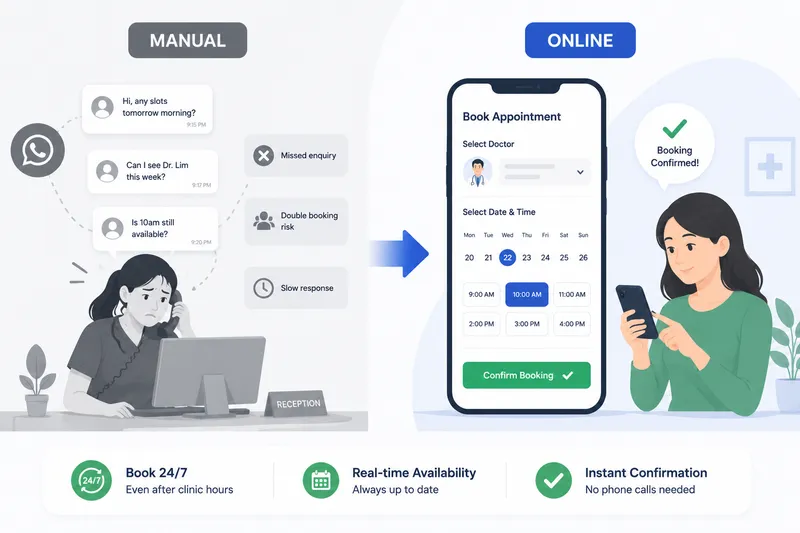
Clinic Appointment Booking System Singapore
Singapore clinics lose revenue in predictable, fixable ways — patients who can't reach you book elsewhere, slots go empty without reminders, and WhatsApp-based records create PDPA exposure. Here's how the right booking system fixes all three.
Fewer no-shows. PDPA peace of mind.
See how clinics and TCM practices cut no-shows with automated reminders and keep patient data PDPA-compliant on BooknGo.