
Class Scheduling Software for Tuition & Enrichment Centres: A Complete Guide
What class scheduling software does for a tuition or enrichment centre — the features that matter, how the main options compare, and how the right system cuts no-shows and admin.
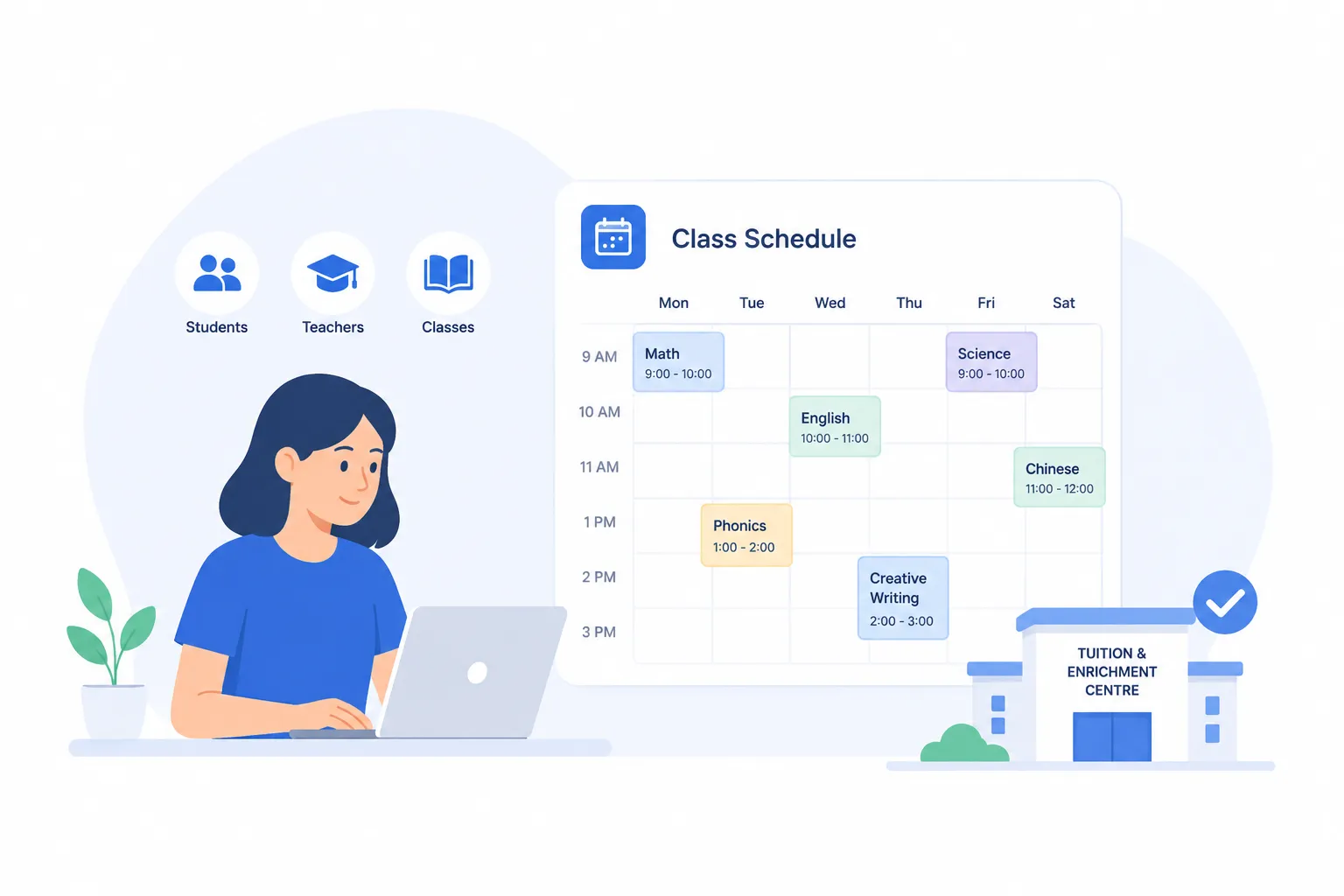
Most tuition and enrichment centres don’t start with software. They start with a phone, a WhatsApp group, and a paper timetable — and that works fine, right up until it doesn’t. Once you’re juggling multiple classes, multiple tutors, trial bookings, make-up sessions and a term’s worth of enrolments, the admin quietly becomes a second full-time job.
This guide walks through what class scheduling software actually does for a centre like yours, how the right system can save time, help you manage classes and manage scheduling, the features that matter (and the ones that don’t), and how the main options compare — so you can judge the best class scheduling software for your teaching setup, whether you need flexible class scheduling software for one tutor or several teaching formats, and pick a system that wins back your evenings instead of adding to the chaos.
Why tuition & enrichment centres outgrow manual booking
Manual booking doesn’t fail loudly. It fails in small, expensive ways that are easy to miss until they add up.
WhatsApp threads, double-bookings, and lost trial enquiries
When every booking lives in a chat thread, your front desk becomes a bottleneck. A parent messages at 9pm asking about a Saturday trial, but a smooth booking flow on any device lets them complete the booking process straight away instead of waiting for a reply. An online class booking system fixes that delay by letting families book immediately instead of waiting for a reply. It can also capture phone bookings in the same system, so all class bookings stay in one place. Trial enquiries are the top of your enrolment funnel — and a manual process leaks them daily.
No-shows and last-minute cancellations
Automated reminders by email or text significantly cut down on forgotten classes, and clear cancellation policies help reduce last-minute changes when families book classes. Each no-show is a paid-for slot that earns nothing and can’t be resold at the last minute. For a class-based business, empty seats are pure lost revenue. Taking online payments at booking through online checkout increases commitment and saves the time otherwise spent chasing payments, and some systems let families pay in advance, use credits, or receive invoices after booking.
Make-up classes, waitlists, and term enrolment chaos
This is the part generic calendars can’t handle. A student misses Tuesday and wants a make-up on Thursday — but is Thursday full? Is there a waitlist? Has the parent already used their two make-ups this term? A proper class scheduling system manages class registrations and uses booking rules to enforce your rules around make-ups, waitlists, and limits. Software for managing class schedules can also handle recurring sessions or a recurring class without manual re-entry. Tracking all of this across a spreadsheet is where centres lose hours every week and, occasionally, lose a frustrated family.
What to look for in class scheduling software
Not every feature matters for a teaching business. Here’s the checklist that does.
Online booking + real-time class capacity
Parents should be able to see upcoming classes with live availability and schedule classes or book classes online, 24/7, without messaging anyone. The system must respect class capacities automatically and stop accepting bookings once a class reaches its maximum capacity. Real-time updates automatically send schedule changes to students and staff when a time, room, or tutor changes. No more “sorry, we’re actually full.” The same setup lets you accept bookings without manual approval.
Automated reminders (SMS / email / WhatsApp)
This is the single highest-impact feature for cutting no-shows. Automated reminders the day before — over the channel parents actually read — reliably reduce missed classes. WhatsApp reminders matter especially in markets where that’s the default channel.
Class packs, memberships & recurring bookings
Enrichment centres rarely sell single sessions. You sell 10-class packs, monthly memberships, prepaid packages, or one on one sessions alongside group offers, and you often need to repeat classes week after week without extra admin. Your software needs to handle these natively: tracking how many sessions remain, auto-renewing, booking recurring weekly slots in one action, and giving staff a simple way to run classes as ongoing programmes, including launching a new class from an existing setup without rebuilding everything manually.
Payment at booking
Taking payment — or a deposit — at the moment of booking does two things: it secures the slot, and it dramatically lowers no-shows because the parent has skin in the game. Choose an online booking system that supports the payment methods your customers use and stores payment details securely.
Multi-location & staff/tutor management
If you run more than one branch, or several tutors with different timetables and rooms, you need role-based access, per-tutor calendars, and a single dashboard across locations — so the software can assign classes to the right tutor while factoring in availability and preferred teaching times, instead of running a separate system per site. Calendar sync with Google Calendar and tutors’ personal calendars keeps availability up to date. Stronger management software also tracks room and resource needs, such as specialist equipment or room constraints, across locations.
Parent-friendly self-service
The goal is to remove yourself from the loop. Parents should be able to view class details and the class description before they confirm a booking, then book, reschedule, cancel (within your rules), and check their remaining sessions on their own. Every action a parent self-serves is one your front desk doesn’t handle — and reliable class scheduling software should prevent double bookings by automatically blocking booked time slots while simplifying self-service for families.
Top class booking software compared
There’s no single “best” tool — only the most reliable fit for how your teaching business actually runs. Here’s an honest comparison.
| Tool | Best for | Class packs / terms | Class capacities / limits | Payment at booking |
|---|---|---|---|---|
| BooknGo | Multi-class, multi-location tuition & enrichment centres | ✅ Native | ✅ | ✅ |
| Calendly | 1:1 appointments, solo tutors | ⚠️ Limited | ⚠️ | ✅ |
| Acuity Scheduling | Solo providers & small studios | ◐ Partial | ✅ | ✅ |
| SimplyBook.me | General service businesses | ◐ Partial | ✅ | ✅ |
| Spreadsheet / WhatsApp | Getting started, one class | ❌ Manual | ❌ Manual | ❌ |
Calendly is excellent for one-to-one meetings and solo tutors, but it’s built around individual appointments rather than recurring group classes with packs and waitlists. Acuity and SimplyBook.me are capable general-purpose schedulers that can be bent to fit a centre, though class-pack and term-enrolment logic often needs workarounds. A spreadsheet plus WhatsApp costs nothing and is fine for a single weekly class — but it doesn’t scale past your own memory.
BooknGo is built specifically for class-based, multi-location businesses: class packs, term enrolment, capacity limits, waitlists, automated reminders, class rosters and payment at booking are core, not add-ons. Flexible scheduling matters because one centre may run group programmes, private lessons and one-to-one sessions side by side. If your centre runs recurring group classes across more than one room or branch, and also wants to manage workshops and events, that’s the gap it’s designed to fill.
How the right system reduces no-shows and fills empty slots
Put the pieces together and you run your classes with far fewer manual steps:
- A parent lands on your booking page and books a trial online at 9pm — the slot is reserved and paid for instantly, with no reply needed from you, whether it’s a standard session, a private lesson, or one of your virtual classes.
- The day before class, an automated WhatsApp or SMS reminder goes out — and the no-show rate drops.
- A student misses a session; the parent rebooks a make-up from the available slots themselves, and your class booking system keeps capacity correct automatically while maintaining an organized student database.
- When a class is full, a waitlist captures the next interested family instead of turning them away — so cancellations get backfilled, slots rarely sit empty, and more advanced features can trigger follow-up notifications when spaces open.
The result is fewer empty seats, less front-desk admin, and a more professional experience that makes parents more likely to renew. See how it fits together on the BooknGo features overview, or explore BooknGo for education.
Frequently asked questions
What is class scheduling software?
Class scheduling software lets a tuition or enrichment centre publish its class timetable online so parents can book, reschedule and pay for sessions themselves, while the centre manages capacity, tutors, attendance, payments, and reporting on attendance, room use, and other operational data from one dashboard. Robust reporting features, utilization reports, and compliance checks can also help educational institutions optimize campus space and confirm schedules meet curriculum hours and labor laws.
How does class booking software reduce no-shows?
It sends automated reminders before each class (by SMS, email or WhatsApp) and can take payment or a deposit at booking. Reminders plus prepaid slots together significantly reduce missed and last-minute-cancelled classes.
Can parents book and reschedule classes themselves?
Yes. Good systems offer parent self-service: parents see live availability in a class calendar, book or cancel within your rules, rebook make-up classes, and check how many sessions they have left — without messaging the front desk.
Does it handle class packs and recurring or term-based classes?
The right software for enrichment centres does. It tracks remaining sessions in a pack, supports monthly memberships, and books recurring weekly or term-long slots in a single step.
How much does class booking software cost?
Pricing varies by the number of staff, locations and features, and many providers offer a free trial or a free plan before paid tiers. Paid plans usually unlock advanced features and stronger reporting. Weigh the monthly cost against the revenue recovered from fewer no-shows and the admin hours saved.
Can it send WhatsApp reminders?
Some systems, including BooknGo, send reminders over WhatsApp in addition to SMS and email — useful in markets where parents read WhatsApp far more reliably than email.
Who is this software for?
It works for educational institutions, training providers, enrichment centres, centres running cooking classes, and independent instructors that need a simple way to run schedules, payments and communication in one place, and some systems also support workshops or virtual classes. Some vendors refine the platform over time based on customer feedback.
Related articles

Top 10 Productivity Tools for Tutors and Teachers in 2026
Explore must-have productivity tools in 2026, plus an appointment booking system for tutors and teachers for seamless scheduling.
Affordable Appointment Scheduling Tools Designed for Educational Institutions
Learn how affordable appointment scheduling software for schools helps manage student meetings, staff time, and shared facilities more smoothly.
Top-Rated Booking Software for Parent-Teacher Meetings in Schools
Learn how affordable appointment scheduling software for schools helps manage student meetings, staff time, and shared facilities more smoothly.
Fewer no-shows. Fuller classes.
See how tuition and enrichment centres run trial sign-ups, term schedules, and fee collection on BooknGo.